
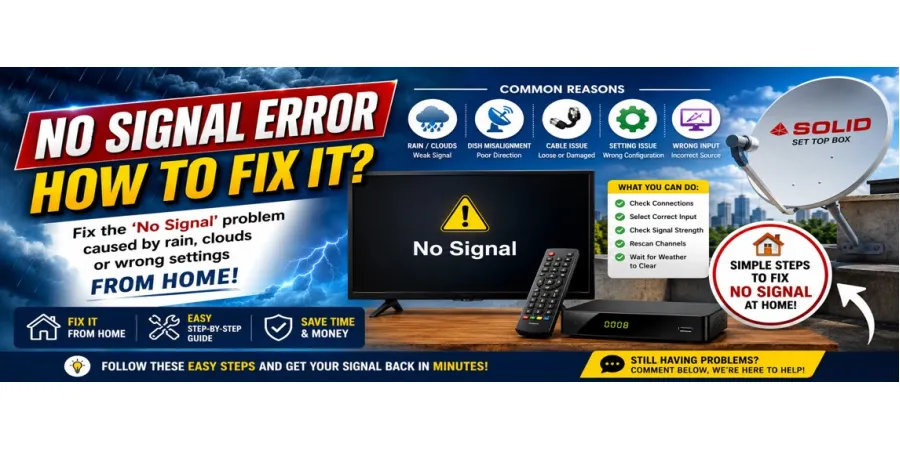
Is a "No Signal" error appearing on your TV?
Often, factors such as cloudy weather, heavy rain, issues with the dish antenna, or incorrect settings can cause a "No Signal" error to appear on your set-top box. The good news is that, in many cases, you can fix this yourself right at home.
Why Does the "No Signal" Error Occur?
Some common reasons for a "No Signal" error include:
- Weak signal due to heavy rain or cloudy weather
- Misalignment of the dish antenna
- Loose or damaged cables
- Incorrect set-top box settings
- Selection of the wrong input source
- Issues with the LNB or connectors
Easy Steps to Fix a "No Signal" Error
1. Check the Power Supply for Your TV and Set-Top Box
First and foremost, check the following:
Whether the TV is ON
Whether the set-top box is ON
Whether the power cables are properly connected
Sometimes, simply restarting the devices is enough to resolve the problem.
Tip: Turn off the set-top box for one minute, then turn it back on.
2. Check the HDMI/AV Cables
If the cables are loose, you will not receive a signal.
✔ Disconnect the HDMI or AV cable, then reconnect it securely.
✔ If the cable is damaged, replace it.
3. Select the Correct Input Source
Often, the "No Signal" message appears because the wrong input source has been selected on the TV.
Using your remote:
Go to Source/Input → Select HDMI 1 / HDMI 2 / AV
Choose the specific option to which your set-top box is connected.
4. Check the Dish Cable and Connectors
A loose cable from the dish antenna can result in a loss of signal. Ensure the cable is properly tightened.
If the connector is loose, secure it.
Check to see if the cable is cut or damaged anywhere.
5. Wait for the Weather to Clear (Clouds/Rain)
If there is heavy rain or dense cloud cover outside, the satellite signal may become weak.
In this situation, wait for a while. The signal usually returns as soon as the weather returns to normal.
6. Check Signal Strength
Check the signal quality on your set-top box:
Menu → Installation → Signal Strength / Signal Quality
If the signal level is very low, the dish antenna may require realignment.
7. Rescan Channels
Sometimes, a signal issue may appear to be present simply because certain channels are missing.
Menu → Installation → Auto Scan / Blind Scan
Allow the scan to complete.
When Might You Need a Technician?
If the "No Signal" error persists even after trying the steps listed above, the issue could be:
Misalignment of the dish antenna
A faulty LNB
A technical issue with the cable
In this scenario, it would be best to seek assistance from a technician.
Final Words
In most cases, the "No Signal" problem is caused by clouds, rain, a loose cable, or a settings-related issue. You can resolve this yourself at home by following the simple steps outlined above.
If you would like more guides related to Solid Set-Top Boxes or dish setups, please continue to visit our website.
Are you also experiencing a "No Signal" error on your TV? Let us know by leaving a comment below!