
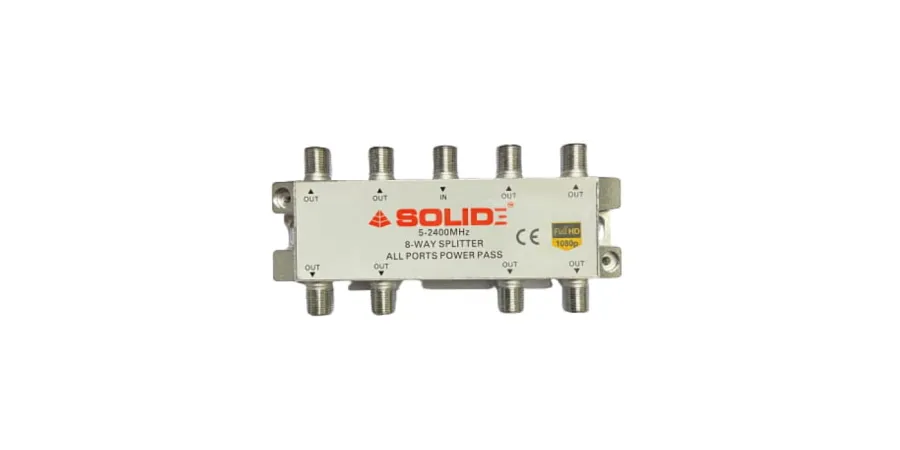
If you want to run multiple TVs in your home, hotel, office, or shop using a single dish antenna, the best solution is using an 8-way splitter. This method is simple, cost-effective, and highly efficient.
What is an 8-Way Splitter?
An 8-way splitter is a device that takes a single satellite signal input and divides it into 8 equal outputs, allowing you to connect up to 8 set-top boxes from one dish antenna.
Step-by-Step Connection Guide
1. Connect Dish Antenna to Splitter
Take the cable coming from the dish antenna (LNB output)
Connect it to the "IN" port of the 8-way splitter
2. Connect Set-Top Boxes
Use coaxial cables to connect each "OUT" port of the splitter
Connect each output to a separate set-top box
3. Power On Devices
Turn on all set-top boxes
Ensure proper signal reception on each TV
Key Benefits
✔ Connect up to 8 TVs from a single dish
✔ No need for multiple antennas
✔ Easy installation
✔ Cost-saving solution
✔ Supports Full HD channels
Why Choose Solid 8-Way Splitter?
The Solid 8-Way Splitter is designed for high performance and reliability:
Frequency Range: 5–2400 MHz
All Ports Power Pass
Durable Metal Body
Stable Signal Distribution
Conclusion
Using a Solid 8-Way Splitter, you can easily connect 8 set-top boxes from a single dish antenna without installing multiple dishes. It’s the perfect solution for both home and commercial setups.